Wednesday, November 14, 2007

TechTip Podcast Episode 002!

download episode 002in MP3 format (plays on most common MP3 players and computers)

download episode 002 in OGG format (free and open source format high quality...works very well with Linux)

Today we're talking about setting up extensions and themes in Firefox. It doesn't matter whether you use Windows, Linux, or Mac OS X. Firefox is cross-platform and so are the extensions and themes! It's really easy...listen to the podcast and then check out the show-notes for links, screenshots, and more!

Click here for the show notes

Powered by ScribeFire.

Monday, November 5, 2007

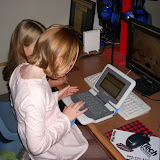
Our first day with the Intel Classmate PC running Edubuntu!

Last week at the Ubuntu Developers Summit in Boston I was given a shiny new Intel Classmate PC loaded with Edubuntu 7.10! Aside from being a nice little tiny laptop that I could play around with, I was really excited to get it home and show it to the kids. I used it as a prop for a lesson on free vs. freedom in the world of computers and software. I also discussed with the kids how computers can play a vital role in opening up the world for kids who have never even seen a computer, especially kids in the developing world. It was a great discussion! Check out the excitement for yourself!

Classmate PC at VCS


Powered by ScribeFire.

Basic System Administration on Ubuntu Seminar

The Informatics Institute held a Seminar on Basic System Administration on Linux, more specifically, Ubuntu. Mr. Jed Berones, a Network Security Engineer, was tapped as the resource speaker for the said seminar.

Most SMB's and Enterprise businesses are already running Linux, and this seminar will benefit the participants by exposing them to a more stable Operating System. Participants were also provided with hand-outs and certificates of attendance. And because of the success of this event, plans are underway for future seminars.

The topics discussed were:
  • Ubuntu Installation
  • Configurations
  • Customization
  • System Administration
  • Advanced Techniques
  • Applications


More images at Flickr.

Sunday, November 4, 2007

Using Flock

Going to try Flock again.  I have heard that the new release is much better.

Blogged with Flock

Thursday, November 1, 2007

Great news! Local Applications on Edubuntu thin-clients!

Hey everyone! History has been made at UDS Boston! Last night, Halloween, four developers holed up in a room in the Hotel@MIT and hacked away on what would become a working version of local apps running on an Edubuntu thin-client! This is VERY big news. Normally in a thin-client environment, the applications all run on the server. This is fine except when you have a whole lab of kids using Firefox and Flash to access an educational web site or to (*gasp*) play games. What about YouTube? Well, with local apps you take advantage of some of the processing power on the thin-client itself (which largely goes unused). In essence we simply ask a particular application to run on the thin-client rather than the server. This will be something that can be defined for individual thin-clients or groups of thin-clients. As schools already have or possibly may purchase more powerful thin-clients, the choice to be able to run some applications such as firefox may become more desirable. Right at this moment I am watching a very smooth video running locally in Firefox on a thin-client. Normally it runs quite choppy on a thin-client, but when running locally it's very smooth just like running it on a desktop or laptop. I just tried an educational subscription site called BrainPOP...the flash movies ran very well. I'm excited about this new development...it will revolutionize the whole Linux thin-client industry. It still has a ways to go before it's fully implemented, but it won't be long! Look for local apps on LTSP coming to a server near you!

Visit Scott Balneaves' blog for more information


Powered by ScribeFire.

Monday, October 22, 2007

Extend OpenOffice with OxygenOffice

Windows/Mac/Linux: Add clip art, advanced PDF functions, and in-editor Wikipedia searching to open source office suite OpenOffice.org with OxygenOffice Professional, a modified installation package and extension. Along with adding roughly 3,400 clip art files and templates, OxygenOffice's extensions also add support for Microsoft's Visual Basic for Applications in the Calc spreadsheet program and conversion tools for the Office Open XML format used in Office 2007. Combined with the Writer's Tools package, this gives OO.org a number of exclusive features.

To install, download the extension, open OO.org, go to Tools -> Extension Manager and click the "Add" button in the My Extensions section, or download a binary to make a fresh OO.org install. OxygenOffice is a free download that runs wherever OpenOffice.org does. (via Lifehacker.com)

Featured Download: Extend OpenOffice with OxygenOffice


Powered by ScribeFire.

Monday, October 15, 2007

Ubuntu 7.10 "Gutsy Gibbon" - My First Impressions


As of this post, the release of Ubuntu 7.10 is only 3 days away. This past weekend I blew away my Feisty Fawn installation on my old Dell laptop and replaced it with a shiny new installation of Gutsy Gibbon, other wise known as Ubuntu 7.10. I used the latest "release candidate" which is essentially the finished product minus some tweaks which I'll grab with the Update Manager anyway. In fact, over the past couple of days I've noticed some artwork changes and things like that. When I first installed Gutsy the OpenOffice splash screen was the default OpenOffice blue and white, but as of yesterday it had been changed or "upgraded" to the familiar Ubuntu brown and orange. I suspect that there are many little things, or finishing touches, like this that are being applied each time I update over the next few days until the release (on October 18th).

So...what do I think? I'm lovin' it! First thing that really jumped out at me was the easy screen and printer setup. Setting up multiple screens is a snap! There's a nice GUI for setting up most of your video settings. Very cool. My printer? The easiest I've ever encountered. Last night I needed to print something here at home. I have a networked Xerox Docuprint N2125 Laser Printer. In the past I would have had to input the IP address, port number, and so forth. This time? The printer dialogue asked me to select whether it was a local or networked printer. I selected "networked". It then asked me if I'd like the computer to search my network for the printer...I clicked "Yes". Next thing I know, it has found my printer with the correct IP address and port settings...AND it then offered to find the correct driver for me! Which it did...and that was IT! Off to work I went....printing and printing some more!

Next stop...F-Spot Photo application. The new F-Spot is AWESOME! Now I know that's not an Ubuntu issue, but it is included as part of a default installation so I feel it's part of the "package". I was able to easily grab photos off my digital camera, import them to F-Spot and then easily upload them to my PicasaWeb account! So far I am very impressed with the polish and improvements in Gutsy Gibbon.

I have ordered a new laptop from System76 which should be here soon. I'm very excited and look forward to "moving in" to my new laptop. What's different about this one? System76 only sells Linux based laptops...more specifically Ubuntu laptops. The nice thing is that I'll always know that my hardware will work with Ubuntu as I have a company standing behind it. I can't wait to see how Gutsy flies on my new System76 Darter laptop. I'll write a review as soon as I get a chance to "move in"! In the meantime, download Ubuntu 7.10 and give it a try!


Powered by ScribeFire.

FOSSED 2008 Conference Schedule!

The 2008 FOSSED Conference schedule is now posted...get it here CLICK HERE

Conference Sessions listed here

Great sessions! Great presenters! ALL driven by YOU! Check the session descriptions (always a document in progress) here:

Click here to view the Session descriptions

NOTE: This session list is currently in development...some sessions may be added and a couple may disappear, but for the most part things will give you a very good idea of what is being offered at FOSSED 2008